Getting Started
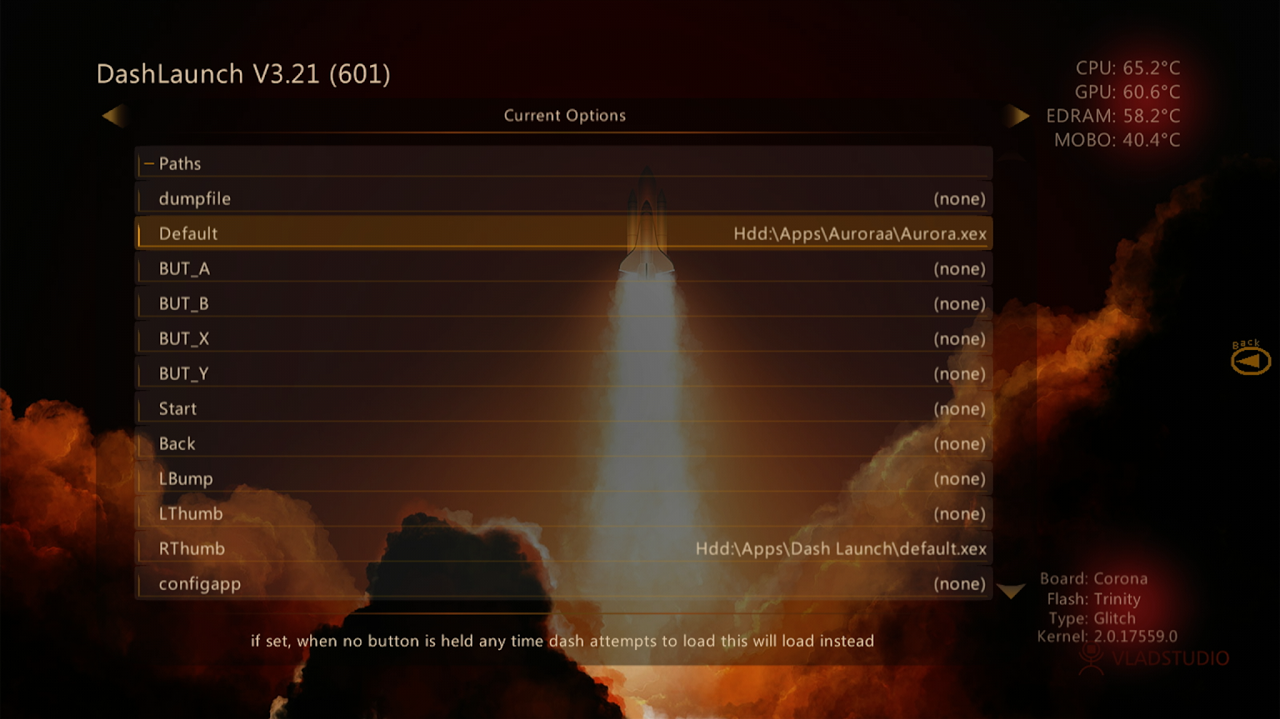
Setting up Dashlaunch
Setting up Dashlaunch
Downloading Dashlaunch for RGH Consoles
- Download Dashlaunch
- Plug in a flash drive into your Xbox, and load the Microsoft Dashboard
- Go to settings > storage
- Format the flash drive using the console
- Plug the flash drive into your computer
- Make a folder on your flash drive called apps and a folder called Dashlaunch and put the files from the Dashlaunch zip inot the Dashlaunch folder and move the folder to the apps folder
Moving files to your hard drive
- Plug in your flash drive into your console and boot your console
- Open XeXmenu
- Press RB until you see the contents of your flash drive
if you don't see the flash drive files press X and select your flash drive
- Hover the Apps folder and press Y and copy
- Go to HDD1 under the drives list and then press Y and press paste
- You can now open the folder using XeXmenu and open the .xex file to open Dashlaunch