Getting Started
Setting up BadAvatar
Setting up BadAvatar
Downloading the files
Before exploiting make sure you are not connecting to the internet at all, no ethernet or wifi connected/enabled if using BadAvatar
- Start by turning on your console
- Connect to internet on your console and make sure your console is fully up to date, and on dash version 17559
- Plug in a flash drive into your console and format it via the console under settings and storage
- Turn off console and plug in the flash drive into your computer and download the required files
- Extract the zip into the root of your flash drive
The zip comes with XeXmenu and XM360 pre installed
things like Aurora i did not include as some people do not want to use Aurora
Booting the exploit
Before exploiting make sure you are not connecting to the internet at all, no ethernet or wifi connected/enabled
- Plug the flash drive into your console, boot the console.
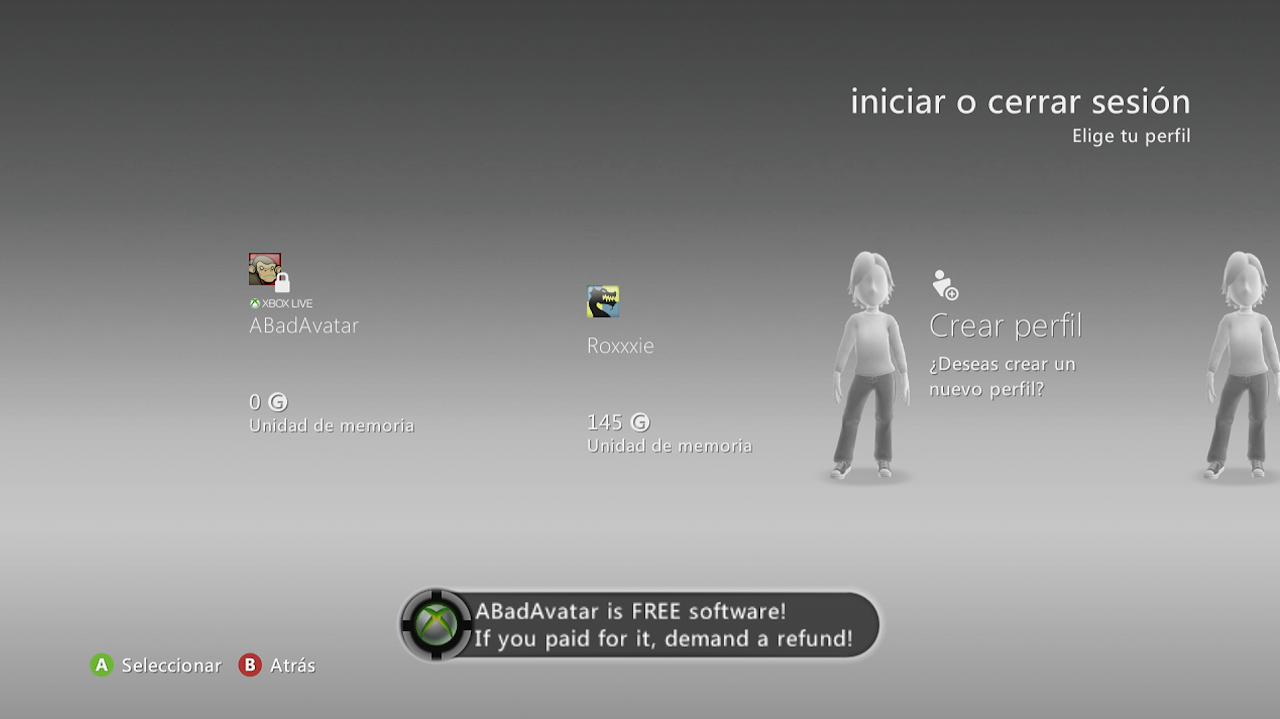
- You will boot to the avatar screen. You should see a new avatar named BadAvatar and get a notification.
- Do not select any avatars. You may move around this screen to make sure your console hasn't frozen, but do not select an avatar.
- After about 30 seconds, you should get the XeUnshackle chains-breaking animation. This means you have successfully exploited your console.