Games and DLC
Installing Multi-Disc Games With an Install Disc
Installing Multi-Disc Games With an Install Disc
Downloading the apps
Starting off your going to need to download some apps on your computer
last download the game with all the disc that it needs
usually an install disc and a play disc
Converting your install disc to raw files
- If the disc are in a zip extract them so you have the iso
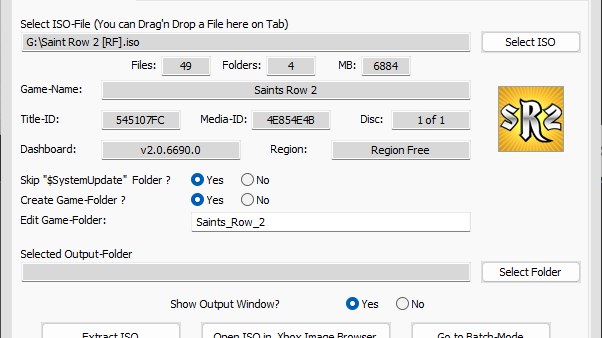
- Open up xbox360mp
- Make sure you're under extract iso
- Click select iso
- And select the install disc iso
- Set a desired out put folder
- And click extract iso
- Inside the extracted iso folder you should see a content folder
- If you store your files on your internal hard drive connect to FTP.
- Or if you store your files on a flash drive plug in your flash drive to your computer
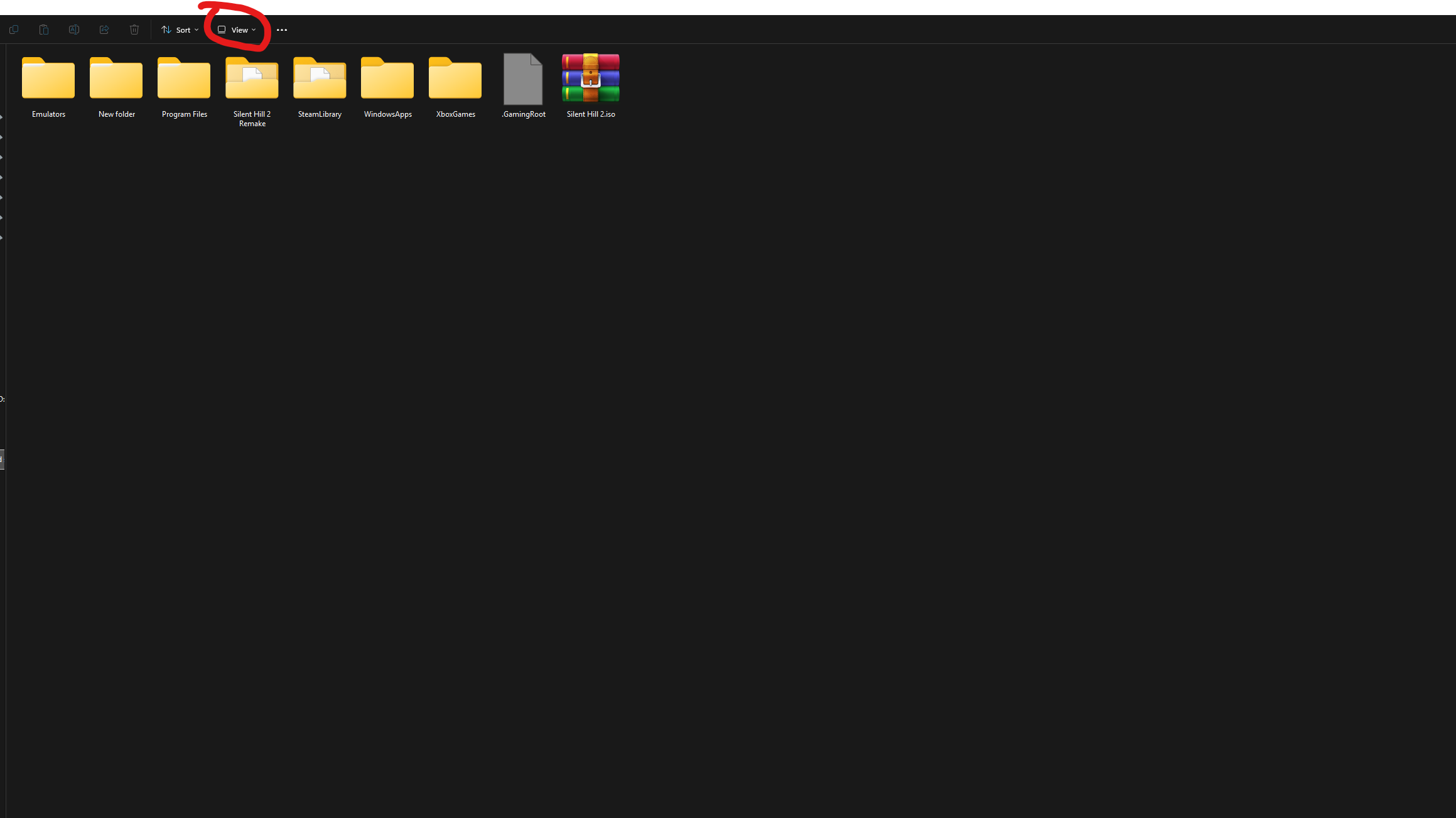
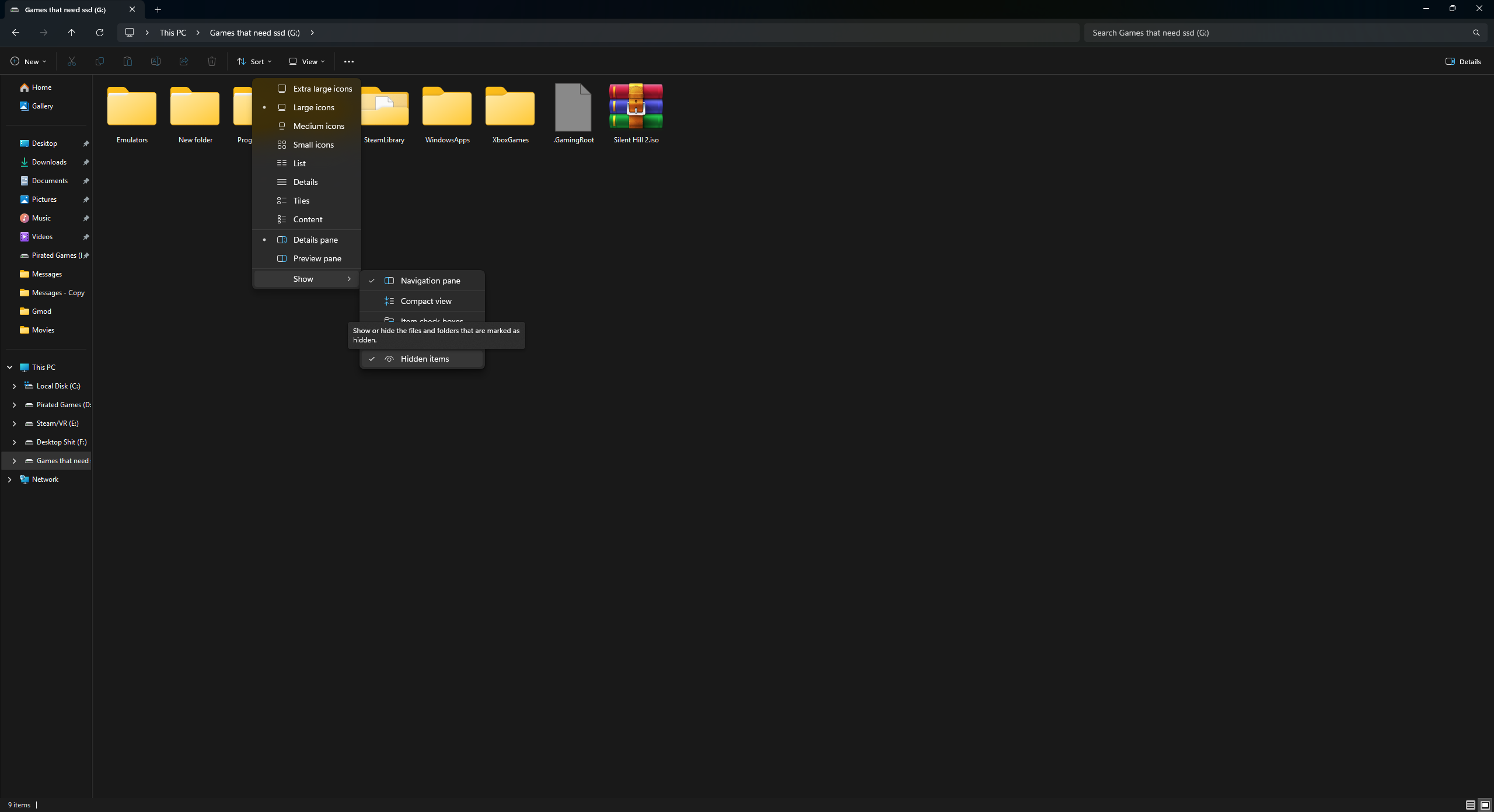
make sure hidden folders are visible in File Explorer by clicking View, then Show, then Hidden items.
- Open your storage device
- Take the content folder from the extracted iso and drag it to the root with your other content folder, you can ignore the other files
Converting the Play Disc to God Format
- Now that the content files from the install disc are on your hard drive you need to convert the play disc into god format
- Follow this tutorial for installing games as a GOD format if using Aurora as default dash
- Follow this tutorial for installing games as a GOD format if using Microsoft dash as default dash