Games and DLC
Installing OG Xbox Games for Microsoft Dash
Installing OG Xbox Games for Microsoft Dash
Downloading The Required Apps and File
You need an internal drive to setup OG Xbox games
- Start off by downloading HDD Compatibility Fixer.
- Extract the zip content into a folder named HDD Compatibility Fixer.
- If you store your files on your internal hard drive connect to FTP.
- Or if you store your files on a flash drive plug in your flash drive to your computer
- Make a folder called Apps, and store the HDD Compatibility Fixer folder inside of it.
- Download the xefu files from here.
- Extract the zip and take the folder called Compatibility and store it somewhere safe on your storage device as the files are going to be moved to a specific location later
Running HDD Compatibility Fixer
Before exploiting make sure you are not connecting to the internet at all, no ethernet or wifi connected/enabled if using BadAvatar
- Boot your console
- If you use Aurora open the file manager, by pressing select and file manager, navigate to your HDD Compatibility Fixer files, and open the xex.
- Open XeXMenu if you use XeXmenu
- Press RB to switch drives, go to your flash drive, navigate to your HDD Compatibility Fixer files, and open the xex.
- If you see your hard drive files vs your usb files, press X on the file manager screen to switch between usb and hdd
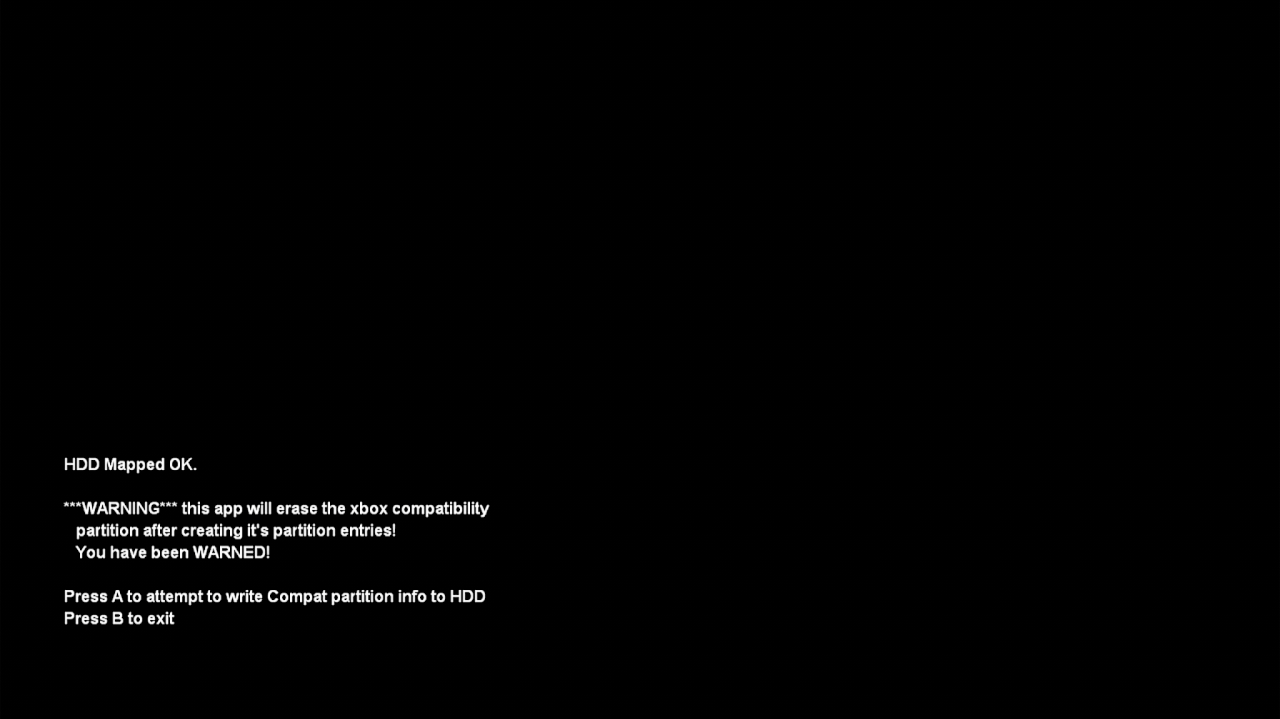
- It will show a screen saying Press A to make the partition, press A and follow the instructions on screen
Moving the Compatibility Files
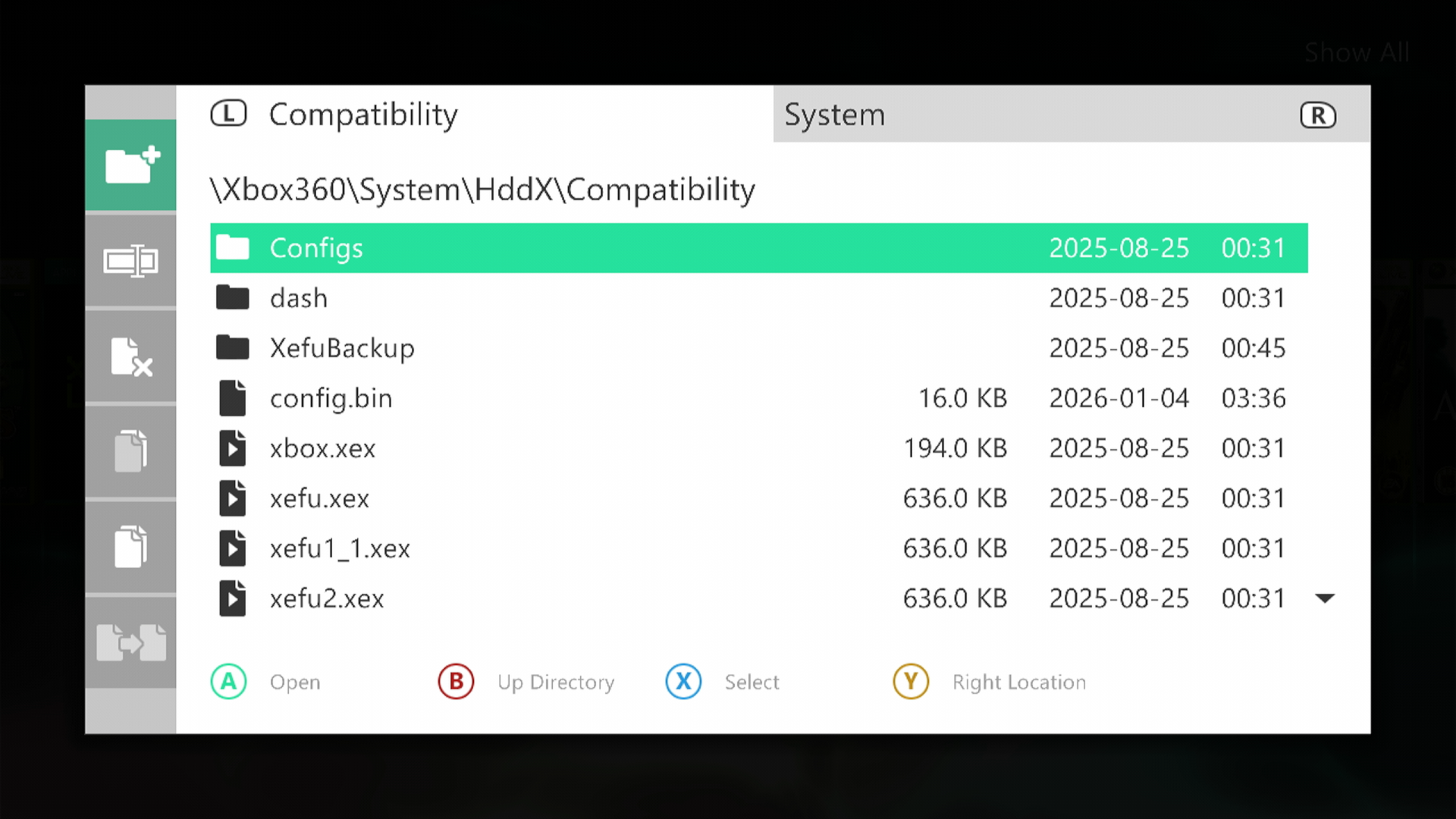
- Open your file manager you use and navigate to where you stored the Compatibility files
- Move the folder to the HddX partition on your internal hard drive
- It should be System\Hddx\Compatibility\
Xefu Spoofing
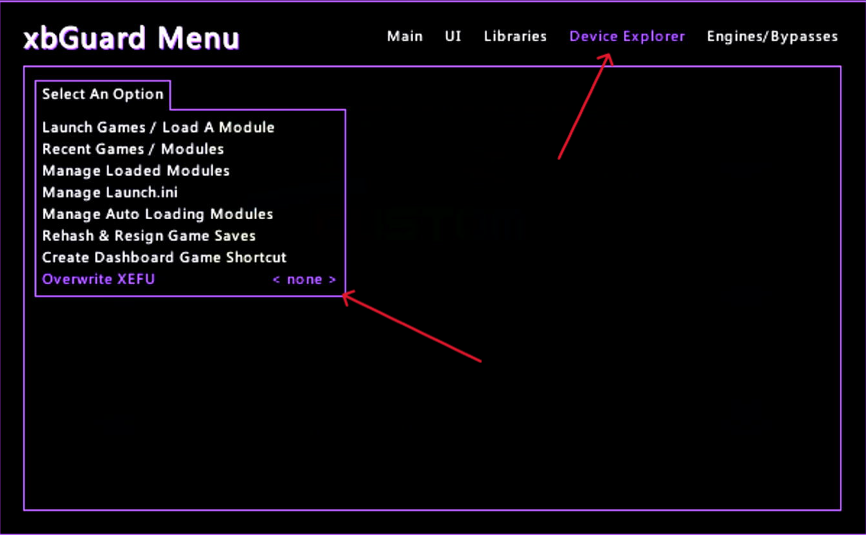
- Certain games work better on certain xefu versions
- You can change which xefu you wanna use in the xbguard menu on G15
- follow this to see which version works best for the game you want to play
Install Your Games
- Finally download your OG xbox game you want to play,
- Follow this tutorial for installing games as a GOD format if using Aurora as default dash
- Follow this tutorial for installing games as a GOD format if using Microsoft dash as default dash
- Add your games in GOD format.
ISO2GOD does support XISO format as well as ISO