Dashboards and Tools
Extracting Your KV From a Nand Dump
Extracting Your KV From a Nand Dump
Extracting Your KV From a Nand Dump
Not responsible if you brick your console IF YOU ARE USING BADAVATAR OR BADUPDATE DO NOT FLASH YOUR NAND
- Download Simple 360 Nand Flasher
- Take the Simple 360 NAND Flasher folder inside the zip and put it on your storage device
- If you store your files on your internal hard drive connect to FTP.
- Or if you store your files on a flash drive plug in your flash drive to your computer
Before exploiting make sure you are not connecting to the internet at all, no ethernet or wifi connected/enabled if using BadAvatar
- Boot your console
- Open XeXmenu
- Open the Default.xex inside the Simple 360 NAND Flasher folder on your storage device
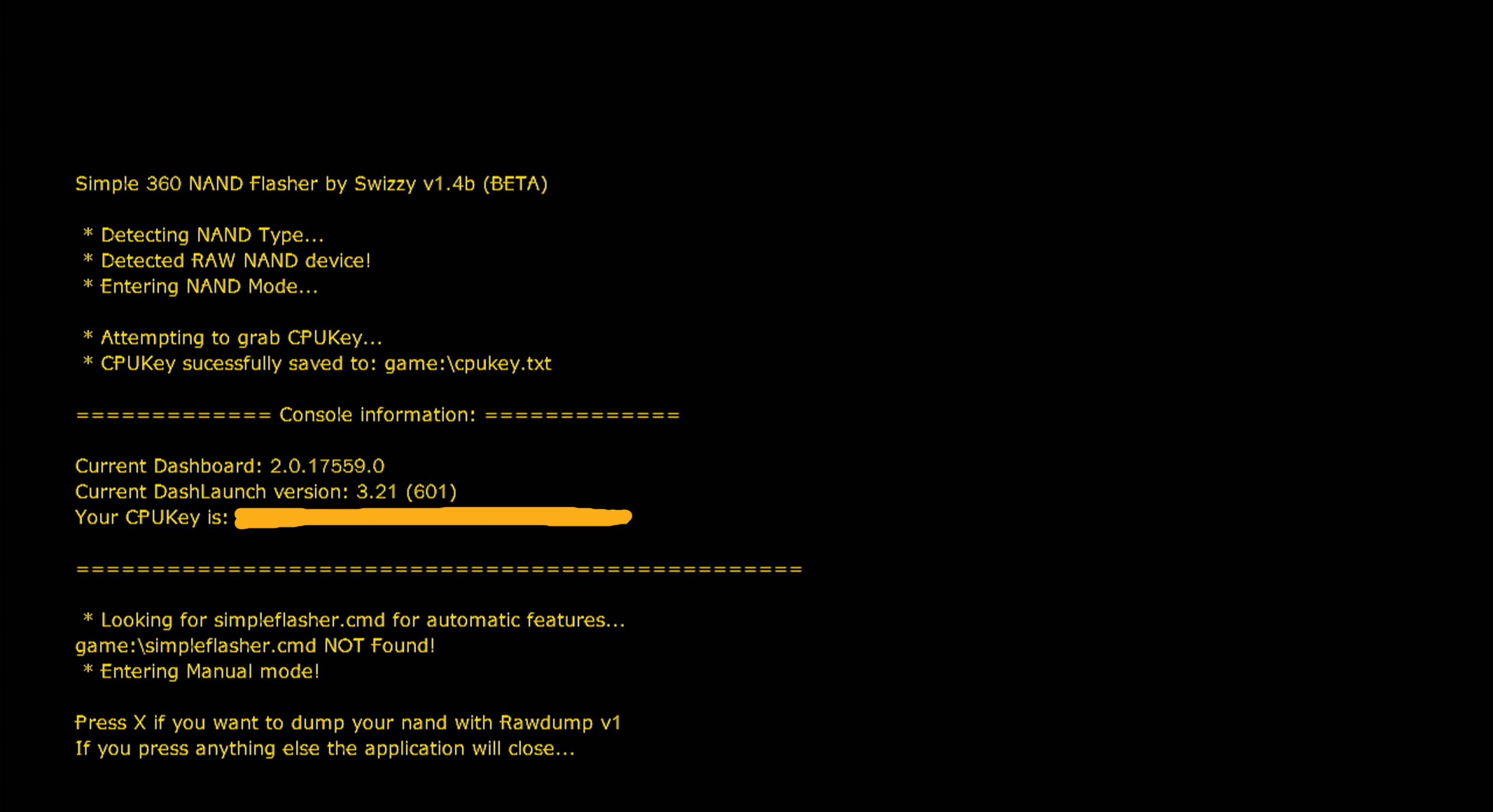
- Press X to dump your nand
Make sure you double check that X is the button for you for dumping your nand it should say Press button if you want to dump your nand with Rawdump V1
- It will say nand dumped :D
- Press any button to close the app
- Access your storage devices files and go into the Simple 360 NAND flasher folder
- You will now have some files in there, your going to need the flashdump.bin file and the cpukey.txt file, put them in a safe location on your computer
- Download Jrunner
- Extract the content of the zip to a safe folder and open jrunner.exe
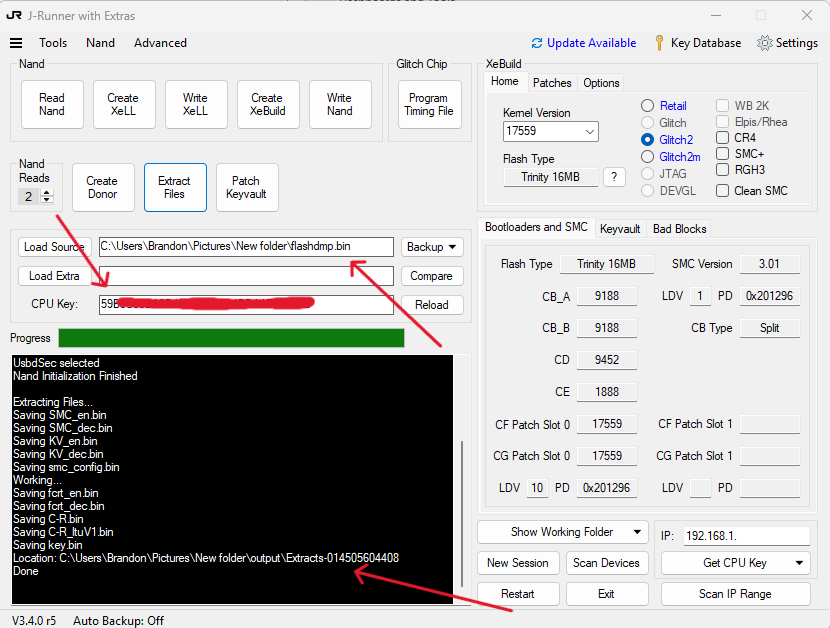
- In the app press Load Source, and choose your flashdump.bin
- Open the cpukey.txt file and copy your cpukey into the Cpu Key: field on jrunner
- Press Extract Files
- In the console it will tell you where the files were extracted
- The file called KV_DEC.bin is your kv, rename this to KV.bin
- Keep the cpukey.txt along side the KV.bin
- You are done, you have extracted your kv