Games and DLC
Making Xbox Live Arcade Games Not Demos
Making Xbox Live Arcade Games Not Demos
Using XM360
Before exploiting make sure you are not connecting to the internet at all, no ethernet or wifi connected/enabled if using BadAvatar
- Boot your console
- If on Aurora press select and press file manager, and open the XM360 xex inside the XM360 folder
- Go to my games and apps if your on the MSdash and open XeXmenu and open the XM360 xex inside the XM360 folder
- Press RB to switch drives and go to your flash drive and navigate to where your XM360 files are and open XM360.xex
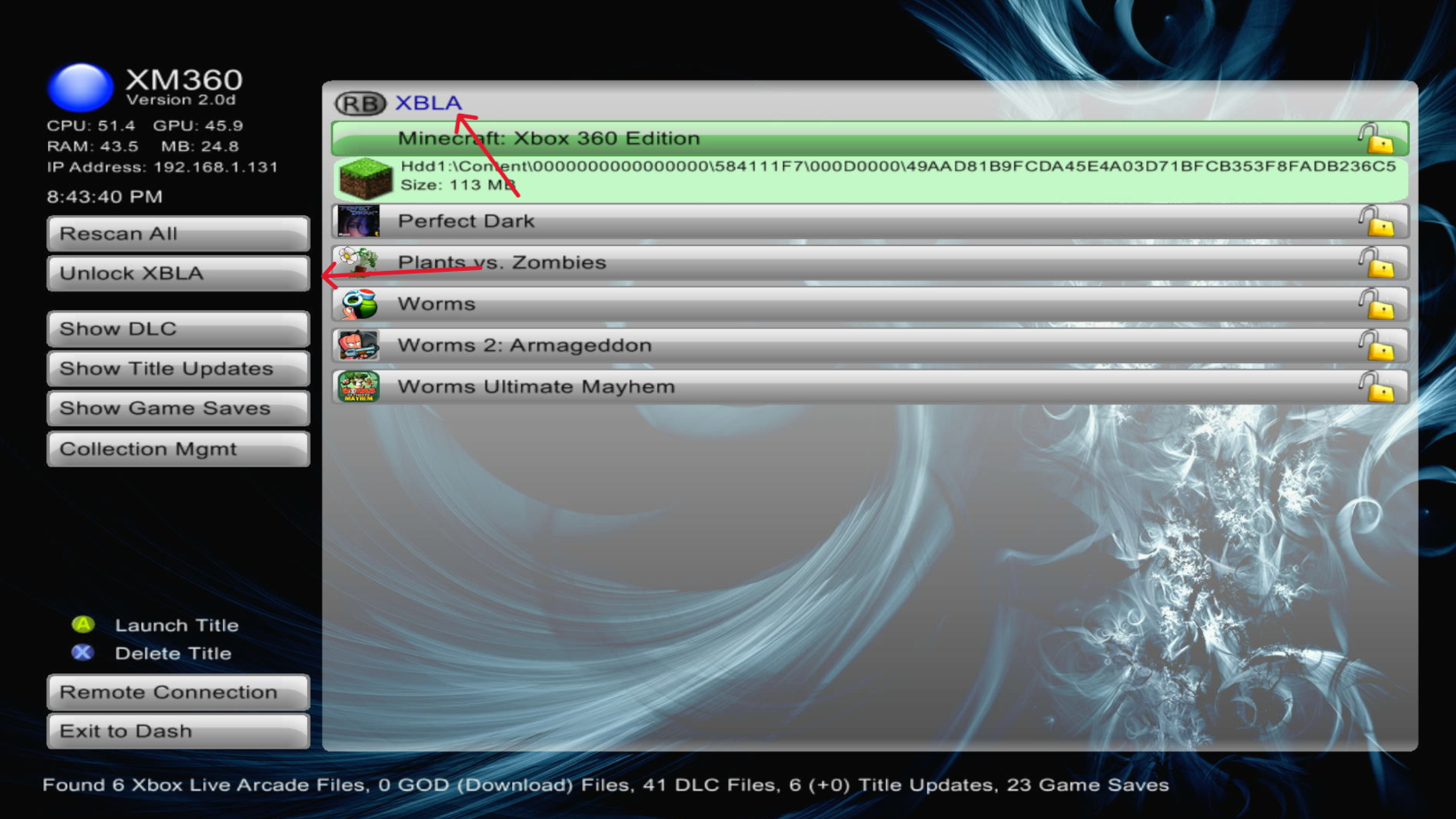
- In XM360 press RB to cycle through games and find the XBLA title you want to unlock
- Once found, the right side should show the game. The lock will either be unlocked or locked. If it is unlocked, the game is ready to go. If not, press unlock on the left side to mark the game as purchased.